Voice Surveys Get 2.5x Longer Answers. Most Lose the Gain to Drop-Off
Voice survey answers run 2.5x longer than typed ones, but drop-off cuts the total gain to 8%. How to collect spoken answers without an app and keep people.
The short version
- Spoken answers are about 2.5 times longer than typed ones: 54.7 words against 21.5 in a 2024 randomised experiment with 1,001 smartphone respondents, covering about 1.7 times as many topics.
- Voice-only surveys lose roughly half their starters: 51% of the voice group broke off before the questions, against 24% for text, and about 35% skipped each spoken question.
- Drop-off cancels most of the length gain. Per 100 people who start, voice collected only about 8% more words per question than a text box (our calculation from the paper's tables).
- Optional voice keeps the gain: a microphone and a text box side by side, voice after the easy questions, and a stated time limit.
Ask people to speak instead of type and they say about 2.5 times as much. In a randomised experiment with 1,001 smartphone respondents, voice answers averaged 55 words against 22 for typed ones. The catch is that a voice survey also loses far more people, so most of that gain disappears unless you design for it.
2.5x the words per answer. Only 8% more words in total. That is what happens when you swap a text box for a microphone and change nothing else. We worked through the published numbers, built the funnel, and wrote down the design choices that keep respondents talking instead of leaving.
To collect spoken answers without an app, use a web form with a built-in voice field. Respondents open a link or scan a QR code, tap the microphone, speak, and submit from their phone browser. You get each recording next to their other answers. Keep a text option beside the microphone, because a voice-only question loses many respondents.
What a voice survey is, and what it is not
A voice survey is a form where at least one question takes a spoken answer. The respondent records audio in the browser instead of typing into a text box. Everything else stays the same: a link, a set of questions, a submit button and a results table.
That definition rules out two things people often confuse with it. Both have their place, but they solve different problems and cost very different amounts.
Voice survey vs phone (IVR) survey
An interactive voice response survey calls people and plays recorded prompts. Respondents answer with keypad presses or short spoken replies. It needs telephony, a calling budget and someone to manage the dialler. A voice survey on the web needs none of that. The respondent chooses when to answer, on their own phone, and can replay the question.
Voice survey vs video answers
Async video tools ask people to record themselves on camera. Video carries more signal, and it also asks for far more: good lighting, a presentable background and the nerve to be filmed. Our view is simple. Most respondents will talk long before they will appear on camera, so voice is the better default for open questions. We compare the two in detail in our voice-first vs video-first comparison.
| Method | What respondents need | Your setup cost | Best for |
|---|---|---|---|
| Web voice survey | A phone browser and a microphone | Build a form, share a link or QR code | Open questions at scale, any time zone |
| Phone or IVR survey | A phone that can take a call | Telephony, call scripts, dialling budget | Respondents without smartphones or data |
| Async video answers | A camera, light, and willingness to be filmed | Video tool, larger storage | Hiring and testimonials where the face matters |
| Google Forms file upload | A separate recorder app and a Google sign-in | Free, but respondents do the work | Small groups who already use Google accounts |
The last row is a workaround, not a voice feature. Google's own help page lists no audio question type, and states that responders must sign in to a Google Account to answer a file upload question. We cover the workarounds in whether Google Forms can record audio.
Why spoken answers are 2.5x longer than typed ones
The cleanest evidence comes from survey methodology research, not from vendors. In 2024, Jan Karem Höhne, Konstantin Gavras and Joshua Claassen published a randomised experiment in Social Science Computer Review. They sent 1,001 German smartphone respondents four open questions on sensitive topics. Half were asked to type and half were asked to speak.
The result was consistent across every question. Voice answers ran between 53.9 and 56.1 words, while text answers ran between 20.4 and 22.6 words. Voice answers also mentioned more distinct topics, an average of 3.2 against 1.9.
- Typed
- Spoken
Speaking is faster than thumb typing
Part of the explanation is mechanical. A Stanford and University of Washington study by Ruan and colleagues measured text entry on an iPhone. Speech entry reached 153 words per minute in English, against 52 for the keyboard, almost exactly 3 times faster. That was transcription of short set phrases in a lab, so it overstates the gap for open answers. The direction still holds: a thumb is a slow way to think out loud.
Typing makes people edit; speaking makes them explain
The second explanation is behavioural. Höhne and colleagues suggest that typing invites careful word selection, which shortens answers. Speaking is closer to conversation, and people narrate instead of compress. Their lexical measures fit that idea. Voice answers repeated more words and scored lower on type-token ratio, which is what natural speech looks like.
We think this is the real reason to use voice. Length is a proxy. What you actually want is the second and third reason behind an answer, the part a typed reply leaves out.
The catch: a voice survey loses more respondents
Here is the part most voice survey pitches skip. In the same experiment, the panel provider invited 6,745 members and 1,681 started the survey. About 51% of people assigned to voice broke off, against about 24% assigned to text. Among those who stayed, roughly 35% of voice respondents gave no answer to a given open question. For text, the figure was under 2%.
This is not a one-off. The same paper reviews earlier studies. It cites break-off near 45% for voice against 13% for text (Gavras and Höhne, 2022), and item non-response near 60% for voice against under 5% for text (Revilla and colleagues, 2020). We have not opened those two papers ourselves, so treat them as supporting context rather than load-bearing figures.
The research points to a few repeat causes. Some people are somewhere they cannot talk, like an office or a bus. Some dislike hearing their own voice. Some hit a browser permission prompt and stop. And some simply prefer writing, which is a legitimate preference, not a bug to fix.
None of those reasons says voice is a bad idea, only that a voice-only question is. That distinction drives every design rule below.
How to collect spoken answers without an app: 6 steps
Here is the process we use, start to finish, in our own tool. The steps carry over to any form builder with a native voice field.
- 1Write the one question that deserves a spoken answerPick the question where you want reasons, not a value. "Why did you cancel?" earns a recording. "Which plan were you on?" does not.
- 2Build the rest as normal fieldsName, email, ratings and choices stay as taps and short text. They are faster to answer and easier to analyse.
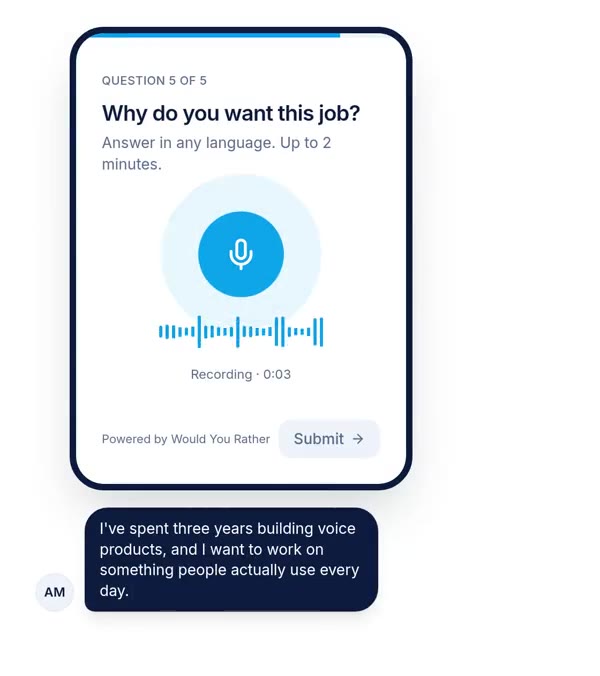
- 3Add the voice field with a time limitSet a maximum, typically 60 to 120 seconds, and say it in the question: "Answer in any language. Up to 2 minutes."
- 4Keep a text fallback next to the microphoneThis one setting does more for completion than anything else on this list.
- 5Share a link or a QR codeRespondents open it in their phone browser. No app install, and no account if you allow anonymous answers.
- 6Review recordings next to the other answersPlay each answer in the results view, or send everything to a spreadsheet with audio links.
For step 6, we explain the spreadsheet route in sending form responses to Google Sheets.
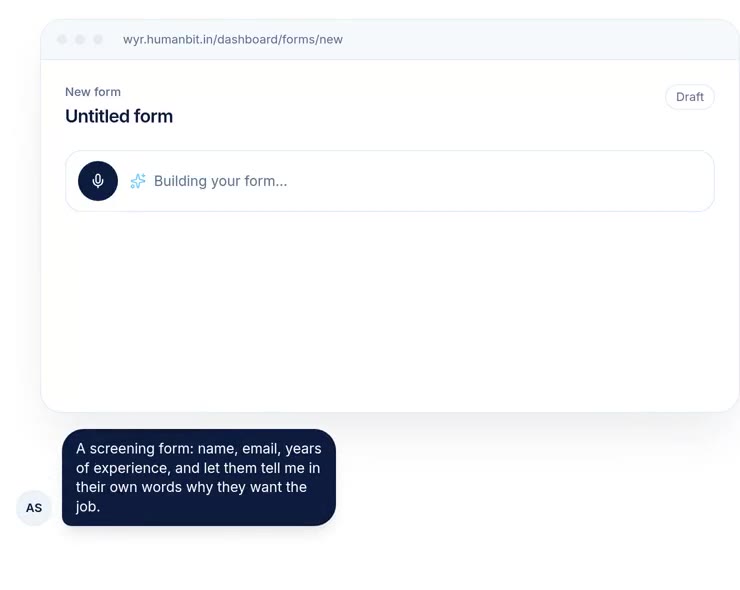
Modern phone browsers can record audio directly through a standard web API called MediaRecorder. A voice survey uses it to capture the answer and upload it, so the respondent never leaves the page. The practical effect is that the only permission a respondent grants is microphone access, once, inside the browser they already use.
Voice survey design rules that cut drop-off
If you take one rule from this post, make voice optional. The rest refine that idea. Each rule targets a stage of the funnel above.
Offer the microphone and the keyboard side by side
Let the respondent choose: people who can talk will talk, and people on a bus will type. You keep the long answers from the first group without losing the second. We would not run a voice-only question on a cold audience. In our own builder this is a single switch on the voice field, labelled to let people type instead.
Put voice after the easy questions
The experiment lost most voice respondents before the questions even began, as soon as they learned what was coming, and commitment rises with progress. Ask names, choices and ratings first, then the spoken question. A one-question-at-a-time layout helps here, because the respondent only ever sees the next step.
Say how long, in what language, and why
Uncertainty is a cost. "Up to 2 minutes, any language, there are no wrong answers" removes three worries in eleven words. For multilingual audiences, inviting people to speak in the language they think in is often the whole reason voice works. See collecting answers in Hindi, Tamil or any language.
Ask for a story, not a verdict
"Rate us from 1 to 10" is a tap. "Tell us about the last time this product annoyed you" is a recording. Spoken answers shine on narrative prompts and add nothing to factual ones. Ask one great spoken question rather than three mediocre ones.
Where voice surveys beat typed forms
Voice is not a better form, but it is a better fit for specific jobs. Here is where we see it earn its place, based on the forms people run on our own product.
| Use case | The spoken question | Why voice wins |
|---|---|---|
| Hiring screens | "Why do you want this job?" | You hear communication and reasoning before booking a call |
| Customer feedback | "What nearly made you cancel?" | Tone and hesitation carry information a score cannot |
| Field research | "Describe how you store grain after harvest" | Works for respondents who read better than they write |
| Language and speech data | "Read this sentence aloud" | The recording is the deliverable |
| Course intake | "What do you want to be able to do in 8 weeks?" | Students say more than they type into a long-text box |
Our own usage skews toward data collection. As of 8 October 2026, Would You Rather had stored 6,273 voice answers across 146 forms, about 17% of all answers. Many of those come from speech-data projects in Indian languages, where people read scripts aloud. That makes our numbers useful for scale, not for comparing text and voice. We have not run a controlled experiment, and we will not claim a length multiplier of our own until we do. When we have one, it goes in our voice vs typed answers analysis.
For hiring specifically, the question list matters more than the tool. We keep a set of tested prompts in our voice screening questions for hiring.
Turning voice survey recordings into data
A pile of audio is not an insight. You need to listen, transcribe or both, and the cost is real. Plan it before you launch, not after 500 recordings arrive.
For under 100 answers, listening is fast and catches what transcripts drop: tone, pauses and emphasis. Past that, you need transcripts for search, tagging and quoting. Automatic speech recognition, or ASR, converts audio to text at a fraction of human cost.
Pick the transcription engine on evidence
Höhne, Lenzner and Claassen tested two leading engines on real smartphone survey answers in 2025. OpenAI's Whisper produced more accurate transcripts than Google's Cloud Speech-to-Text, while Google's API was faster. Both made the same kinds of errors. Their test was in German, so check accuracy on your own languages and accents before trusting a transcript you will quote.
A straight note on our own product: Would You Rather stores the audio, links it in your sheet, and can offer a text box alongside the recording. It does not auto-transcribe today. If you need transcripts, export the audio links and run them through the engine you trust.
Where this argument is weakest
The headline numbers in this post come mainly from one well-run experiment. That is a strength for rigour and a weakness for generalising. Four limits are worth stating plainly.
First, the sample was German online panel members answering sensitive political questions. Respondents in India, or customers answering about a product, may behave very differently. Second, the panel was paid to take part, and paid panels break off differently from customers you email once.
Newer evidence points the same way, but more gently. A 2026 experiment with a US sample found spoken answers tended to be longer and only slightly more informative than written ones. Treat 2.5x as the top of the range, not a promise. We look at that study more closely in why open-ended answers come out thin.
Third, our funnel calculation is ours, not the authors'. It multiplies published counts by published averages and assumes the averages hold for every answer. It is directional. Fourth, our first-party figure counts recordings, not outcomes. It says people use voice on our product. It says nothing about whether voice beat text for them.
The strongest counter-argument deserves its own line. If the 35% who skipped voice were systematically different, for example older or more private, then voice does not just lose volume. It biases the sample. That is the best reason to keep a text option, and it is a better reason than completion rates.
Where to start this week
Take the survey you already run and find its weakest open question. It is usually the "Any other comments?" box at the end, the one people leave empty. We wrote about why that box stays empty.
Rewrite it as a story prompt, put it after your easiest questions, and offer voice beside the text box. Send it to 50 people. Then compare two numbers against last time: how many people answered that question, and how many words you got. If both went up, you have your answer. If only words went up, revisit the funnel section before you scale.
References
- Höhne, J. K., Gavras, K. and Claassen, J., Typing or Speaking? Comparing Text and Voice Answers to Open Questions on Sensitive Topics in Smartphone Surveys, Social Science Computer Review, 2024. Used for answer length, topics, break-off and item non-response, and for the earlier studies it reviews.
- Ruan, S., Wobbrock, J. O., Liou, K., Ng, A. and Landay, J. A., Speech Is 3x Faster than Typing for English and Mandarin Text Entry on Mobile Devices, arXiv, 2016. Used for words per minute, speech vs keyboard.
- Höhne, J. K., Lenzner, T. and Claassen, J., Automatic speech-to-text transcription: evidence from a smartphone survey with voice answers, International Journal of Social Research Methodology, published online 1 January 2025. Used for the Whisper and Google comparison.
- Google, Choose a type of question for your form, Google Docs Editors Help, accessed 8 October 2026. Used for Google Forms question types and the file upload sign-in rule.
- Landesvatter, C. and Bauer, P. C., Information Content in Text and Voice Response Formats for Open-Ended Survey Questions, Journal of Survey Statistics and Methodology, advance article, 17 September 2026. Used, from its abstract, as the more cautious counterpoint on length and informativeness.
- Would You Rather, production database count, 8 October 2026. Used for voice answer and form totals. Not independently audited.
The weakest point in this source base: the length and drop-off figures rest on one German experiment with a paid online panel, and the 2026 US study was read from its abstract only. Gavras and Höhne (2022) and Revilla and colleagues (2020) are cited only as reported in reference 1.
Questions people ask
What is a voice survey?
A voice survey is an online form where one or more questions take a spoken answer instead of typed text. Respondents tap a microphone in their phone or laptop browser, speak, and submit. The creator receives each recording next to the respondent's other answers. Unlike a phone or IVR survey, nobody gets called. The respondent answers whenever suits them, from a link or a QR code.
Can Google Forms record audio answers?
No. Google Forms has no audio or voice question type. The common workaround is a file upload question, where respondents record audio in a separate app and upload the file. Google's help page states that responders must sign in to a Google Account to answer a file upload question. For spoken answers without sign-in or extra apps, you need a form builder with a native voice field.
Do respondents need an app to answer a voice survey?
No. Modern phone browsers can record audio through a standard web API, so respondents answer from the link they already opened. They grant microphone permission once, inside the browser. Some tools can also accept answers without the respondent creating an account. Check that your form builder supports anonymous answers if you plan to share a QR code at an event or in the field.
Are voice survey answers better than text answers?
They are longer and cover more ground. A 2024 randomised experiment found spoken answers averaged 54.7 words against 21.5 typed, with about 1.7 times as many topics. But voice respondents also broke off far more often, 51% against 24%. Voice answers are richer per person, and a voice-only design reaches fewer people. Offering voice as an option keeps most of the benefit.
How do you transcribe voice survey responses?
Export the audio files or links, then run them through an automatic speech recognition engine. A 2025 study on smartphone survey answers found OpenAI's Whisper more accurate than Google's Cloud Speech-to-Text, while Google was faster. Spot-check a sample by ear before quoting any transcript, especially for accents, code-switching or languages the engine handles less well.
How long should a voice survey answer be?
Set a cap between 60 and 120 seconds for most open questions, and state it in the question text. A visible limit lowers the effort people expect, which matters because voice questions lose more respondents than text ones. Use longer limits only for interviews or speech-data tasks where length is the point. One well-chosen spoken question beats several short ones.
Drafted with AI from published research and Would You Rather's own usage data, then edited and approved by Apoorv Tamrkar.
Would you rather hear the answer?
Make a voice form in a minute. It’s free.
Create a form