Fillout Already Records Voice. Here Is What a Voice-First Form Adds
Fillout's free plan gives 1,000 responses a month, payments, scheduling and a voice field. Where the bundle wins, and when a voice-first form fits better.
The short version
- Fillout is a bundle: as of October 2026 its free plan includes 1,000 responses a month, Stripe payments, scheduling, PDF generation and conditional logic, with database sync to Airtable, Notion and its own Zite Database.
- Fillout already has a voice recording field on every plan, capped at 20 MB per recording below Business. AI transcription of those recordings needs the Business plan, $75 a month billed annually.
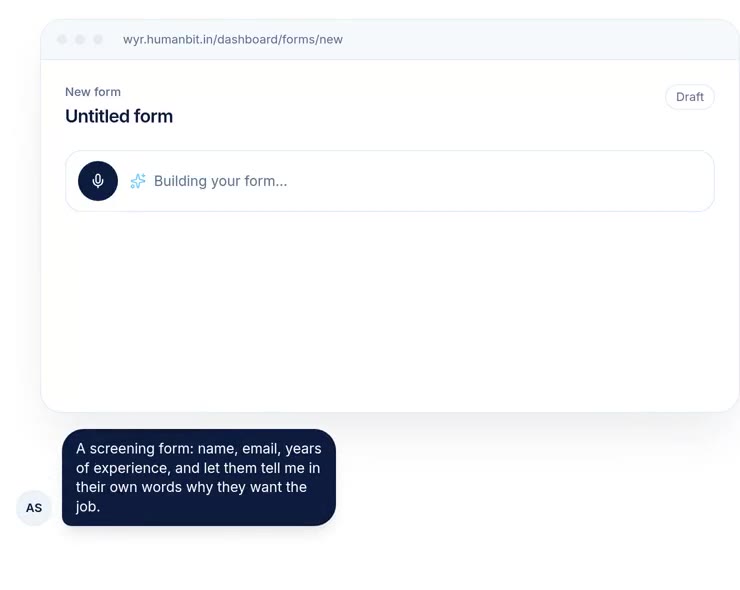
- Would You Rather goes further on the spoken answer itself: creators can record the question in their own voice, set minimum and maximum lengths, add a typed fallback, and show one question at a time.
- Pick Fillout when the form is part of a workflow that books, charges or updates records. Pick Would You Rather when the spoken answer is the point, such as a screening question, field interview or speech recording.
Most people looking for a Fillout alternative for voice assume Fillout cannot record audio. It can. As of October 2026, Fillout has a voice recording field on every plan, including the free plan with 1,000 responses a month. So the honest question is not whether Fillout records voice. It is whether you want voice as one field among 50, or a form built around it.
Fillout bundles payments, scheduling and database sync. Would You Rather bets everything on the spoken answer. Both are reasonable bets. They suit different jobs, and the rest of this post is about telling those jobs apart.
Choose Fillout when your form is part of a workflow: it includes payments, scheduling, PDF generation and sync to Airtable, Notion or its own database, plus a basic voice field. Choose Would You Rather when spoken answers are the main thing you collect, because it is designed around them, from recorded questions to one-question-at-a-time screens.
One is a platform, the other is an instrument
Fillout describes itself as an "all-in-one plan to deploy apps and forms". That is accurate. A Fillout form can take a payment, book a meeting, generate a PDF, check a login and write rows to a database, all in one flow. The form is the front door to a workflow.
Would You Rather is narrower on purpose. It exists so that people can answer by talking, on a phone, without an app. Everything in the product is tuned for that one moment: hearing the question, recording an answer and getting it back to you with the other fields.
Our view is that you should pick by the job, not by the feature count. Fillout will always list more features. The question is whether those features are the ones your form needs.
Fillout's bundle is real, and mostly free
It is worth being specific about how much Fillout includes at $0, because it is a lot. Every figure below comes from Fillout's own pages as of October 2026.
Payments and scheduling ship on every plan
Fillout's payment page documentation says payment pages are "available on all plans with no additional fees", with Stripe's usual transaction costs still applying. They support one-time and subscription payments, user-defined amounts and discount codes.
Scheduling is just as generous. Fillout Scheduling is a free add-on, with unlimited scheduling forms and up to 1,000 bookings a month on the free plan. It books against Google or Outlook calendars, Zoom and Teams. If your intake form ends with "pick a time to talk", Fillout does that in one tool.
Database sync is where Fillout pulls away
This is Fillout's strongest card. Forms can create and update records in Airtable, Notion, SmartSuite and other databases, pre-fill fields from existing records, and let respondents pick from records in a dropdown. Fillout's sync documentation also describes storing responses in Zite Database, a no-code database with multiple tables and views.
Would You Rather does not try to compete here. We sync to Google Sheets with audio links, export CSV and offer a public API. If your team runs on Airtable and needs a form that edits existing records, Fillout is the better tool, and we would tell you to use it.
Response quotas are the main free-plan limit
Fillout's free plan caps responses rather than features. Free allows 1,000 responses a month, Starter 2,000, Pro 5,000 and Business unlimited. The pricing page says forms keep collecting responses if you go over, and you can upgrade, buy bulk submissions or wait for the monthly reset. A separate fair use policy flags sustained volumes above 30,000 submissions a month.
Both tools record voice. They treat it differently
Here is where the comparison gets interesting, because the gap is narrower than most people assume.
Fillout's voice field is one of 50+
Fillout's field list includes a Voice recording field, described as a way to "request voice recordings and automatically transcribe them". It is not marked as a premium field, so it works on the free plan. According to its voice recording help page, respondents can listen back, pause, delete and re-record. Recordings follow the plan's upload limits: 20 MB on Free, Starter and Pro, and 1 GB on Business.
That help page also explains that there is no fixed time limit in minutes, only a maximum file size, because length in minutes depends on audio quality. We did not find a creator-set duration limit described in Fillout's documentation. It may exist in the editor; we only checked the published help pages.
Transcription is Fillout's clear win
Fillout can transcribe recordings automatically. AI transcription is available on Business and Enterprise plans, via OpenAI, and both the audio and the transcript can be mapped into Airtable, Notion or another integration.
Would You Rather does not auto-transcribe voice answers today. It stores the audio, plays it next to the other answers and puts audio links in your sheet. If you need searchable text from hundreds of recordings without a separate step, Fillout Business does that and we do not. That is a fair reason to choose Fillout.
Would You Rather builds the form around the spoken answer
What we offer instead is depth on the recording itself, and on the moments around it.
- Questions in your own voice. Creators can record each question, so respondents hear a person asking, not just text on a screen.
- Length you control. Each voice question takes a minimum and maximum length in seconds. A stated limit tells respondents how much effort to expect.
- A typed fallback, by choice. An optional "or type your answer" box sits beside the microphone. It is off by default, so you decide whether voice is required.
- One question at a time. The respondent sees only the next step, in a phone browser, with no app to install.
- Speech data mode. A transcript mode for read-aloud tasks, with on-screen transliteration suggestions for Indian languages.
Why depth on voice matters more than a voice checkbox
A voice field only helps if people actually use it. The research is clear that speaking is easier than typing, and less clear that people will always choose to speak.
Speaking costs respondents less effort
A Stanford and University of Washington study measured text entry on an iPhone. Speech reached 153 words per minute in English against 52 for the keyboard, and 123 against 43 in Mandarin. Speech also made fewer errors during entry. The study had people transcribe set phrases in a lab, so treat it as evidence about effort, not about survey answers.
- Keyboard
- Speech
Respondents still need a reason to press record
Lower effort does not mean higher completion. Survey research finds that voice-only questions lose more respondents than text ones, often before they answer anything. We walk through those numbers in our analysis of voice survey answers and drop-off. That is why we care about recorded questions, stated limits and a typed fallback. They are the details that turn a voice field into answers you actually receive.
We think this is where a general builder and a voice-first one really differ. A general builder adds the field. A voice-first builder has to care whether anyone uses it, because that is the whole product.
Fillout vs Would You Rather, side by side
Fillout facts come from its own pricing and help pages, as of October 2026. Where Fillout is ahead, the table says so.
| Fillout | Would You Rather | |
|---|---|---|
| Free plan | 1,000 responses a month, unlimited forms and seats | Free to start |
| Paid plans | Starter $15, Pro $40, Business $75 a month, billed annually | Not covered here |
| Voice answers | Voice recording field on all plans; 20 MB per recording below Business | Native voice field with minimum and maximum length in seconds |
| Transcription | Business and Enterprise, via OpenAI. Fillout wins | Not offered; audio stored and linked |
| Question read aloud | Not described in its field list | Creator can record each question in their own voice |
| Typed fallback for voice | Not described in its help pages | Optional text box beside the microphone, off by default |
| Payments and scheduling | Stripe payments and Fillout Scheduling on free plan. Fillout wins | Not offered |
| Database sync | Airtable, Notion, Zite Database, update existing records. Fillout wins | Google Sheets live sync with audio links, CSV export, public API |
| Signatures, PDFs, login forms | Included; signatures and login forms from Starter | Not offered |
| Respondent layout | Multi-page forms | One question at a time, built for phone browsers |
Three bold rows go to Fillout, and they are not small. If your process involves taking money, booking time or editing records, Fillout replaces several tools, and we would not ask you to give that up.
The verdict in two lists
Pick Fillout when the form starts a workflow
- Respondents pay, book a call or sign something as part of the same form.
- Your data lives in Airtable or Notion and the form needs to read or update existing records.
- You need automatic transcripts of voice answers and can justify the Business plan.
- Voice is one optional question in a longer intake form, and a plain recording field is enough.
Pick Would You Rather when the answer is someone talking
- Hiring screens, where you want to hear how a candidate explains a problem. See our voice screening questions for hiring.
- Field research, with QR codes and anonymous answers for respondents who speak more easily than they type. Our guide on collecting voice recordings online covers the setup.
- Speech and language data, where the recording is the deliverable and read-aloud prompts need transliteration help.
- Customer stories, where tone and hesitation matter more than a score.
Where our case for voice is weakest
We are the vendor of one of these two products, so read this section first if you read only one.
First, Fillout's voice field may be enough for you. If you need one recorded answer in a longer form, Fillout gives you that on the free plan, alongside payments and scheduling. A dedicated voice tool is only worth adding when voice is central to the form. Second, we have not run respondents through both tools. Our claims about Fillout come from its published help and pricing pages, not from a side-by-side test, and the editor may offer settings the help pages do not describe.
Third, the speed figures come from a 2016 lab study of short transcribed phrases. They show that speaking costs less effort. They do not show that voice forms complete better, and drop-off research suggests voice-only questions often complete worse. Fourth, we do not transcribe. For teams processing hundreds of recordings, that is a real cost, and you should price in a separate transcription step.
How to decide before lunch
Write down the single most important answer your form must capture. Then apply one rule. If that answer is a payment, a booking, a signature or a database update, use Fillout. If that answer is a person explaining something in their own words, use a voice-first form, and keep Fillout for everything around it if you already have it.
If you are still unsure, build the one key question in both tools and send each to 20 people. Count how many recorded an answer and listen to five from each. That costs an afternoon and answers the question better than any comparison post, including this one. For the wider field, see our roundup of voice survey tools and our Tally comparison.
References
- Fillout, Plans and Pricing, accessed 8 October 2026. Used for plan prices, response quotas, file size limits, feature availability by plan and overage handling.
- Fillout, Voice recording, help centre, accessed 8 October 2026. Used for recording limits, respondent controls and transcription plan availability.
- Fillout, Field types, help centre, accessed 8 October 2026. Used for the field list and which fields are premium.
- Fillout, Payment page and Fillout Scheduling, help centre, accessed 8 October 2026. Used for payment fees and free booking limits.
- Fillout, Sync form results to a database and Fair Use Policy, help centre, accessed 8 October 2026. Used for Zite Database sync and the 30,000 submissions a month threshold.
- Ruan, S., Wobbrock, J. O., Liou, K., Ng, A. and Landay, J. A., Speech Is 3x Faster than Typing for English and Mandarin Text Entry on Mobile Devices, arXiv, 2016. Used for speech vs keyboard entry speed and error rates.
The weakest point in this source base: every Fillout fact is the vendor's own documentation, which can change without notice, and the case for voice rests on one lab study rather than a test of real forms.
Questions people ask
Does Fillout have a voice recording field?
Yes. As of October 2026, Fillout's field list includes a Voice recording field, and it is not marked as a premium field. Respondents can pause, delete and re-record, and listen back before submitting. Recordings follow the plan's file upload limit: 20 MB per recording on Free, Starter and Pro, and 1 GB on Business. Automatic transcription is available only on Business and Enterprise plans.
How many responses does Fillout's free plan allow?
Fillout's free plan allows 1,000 responses a month, with unlimited forms and seats, according to its pricing page in October 2026. Starter raises that to 2,000, Pro to 5,000, and Business removes the cap. If you go over, Fillout says your forms keep collecting responses, and you can upgrade, buy bulk submissions or wait for the monthly reset.
How much does Fillout cost?
As of October 2026, Fillout's pricing page lists Free at $0, Starter at $15 a month, Pro at $40 a month and Business at $75 a month, each billed annually. Annual billing totals $180, $480 and $900 a year. Monthly billing costs more. Enterprise is priced by agreement and adds SSO, audit logs and dedicated support.
Can Fillout transcribe voice answers?
Yes, on the Business and Enterprise plans. Fillout's help centre says you turn on AI transcription in the voice recording field's settings, and that the feature runs via OpenAI. Both the audio file and the transcript can be mapped to integrations such as Airtable or Notion. On Free, Starter and Pro you get the audio without automatic transcripts.
What is a good Fillout alternative for voice answers?
If your form exists mainly to collect spoken answers, a voice-first builder fits better than a general one. Would You Rather lets creators record questions in their own voice, set minimum and maximum answer lengths, offer a typed fallback and show one question at a time on a phone. It does not transcribe answers, so Fillout Business is the better pick if you need automatic transcripts.
Can Fillout forms take payments on the free plan?
Yes. Fillout's help centre says payment pages are available on all plans with no additional fees charged to use the feature, though Stripe's usual transaction costs still apply. You can take one-time or subscription payments, let respondents set the amount, and apply discount codes. Fillout does not add VAT automatically, so you would calculate tax-inclusive prices with a calculation field.
Drafted with AI from published research and Fillout's own pricing and help pages, then edited and approved by Apoorv Tamrkar.
Would you rather hear the answer?
Make a voice form in a minute. It’s free.
Create a form